Door control on the tablet you already have.
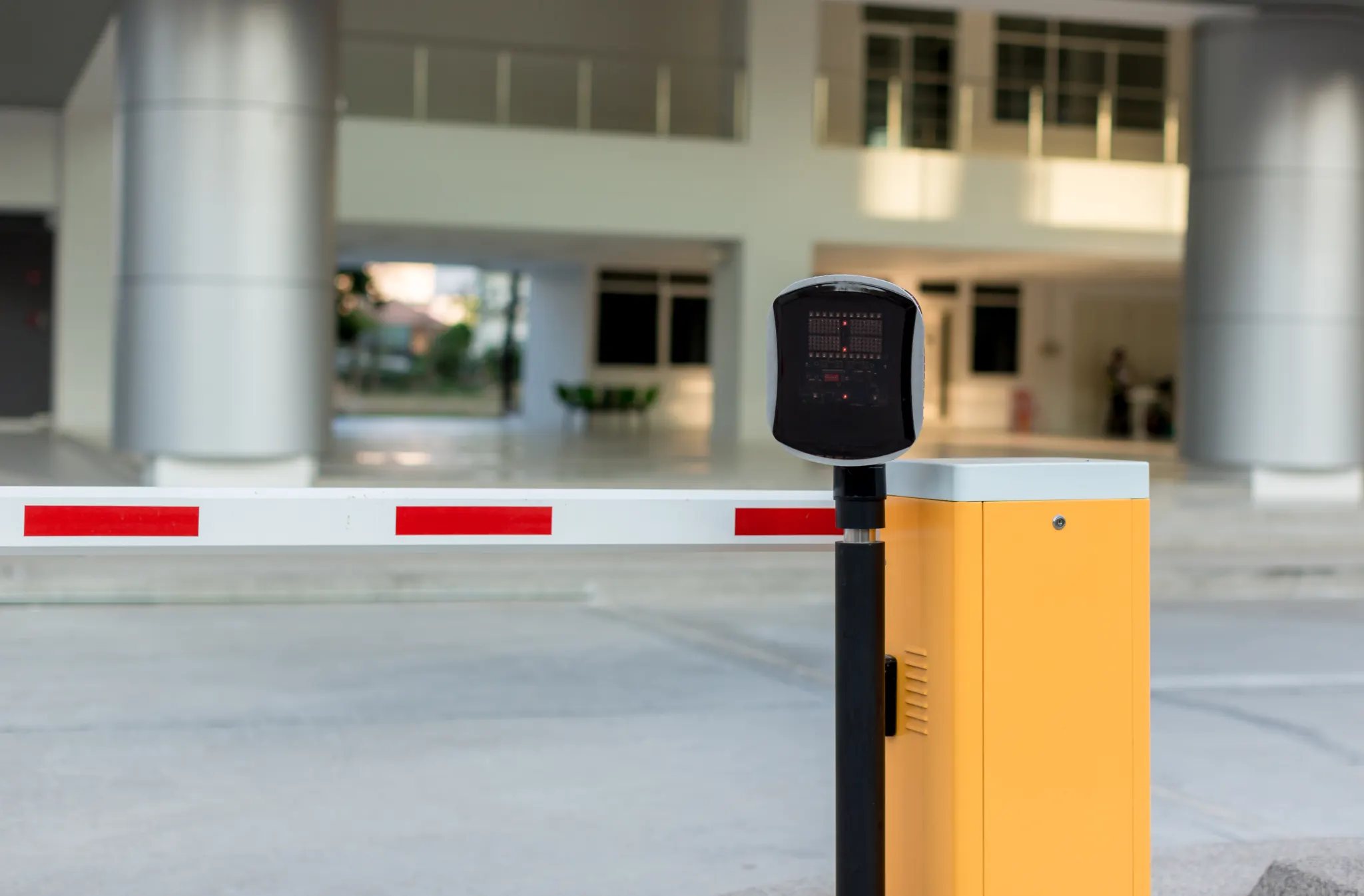
A station at the door verifies the face and triggers your existing lock or barrier over MQTT, HTTP or Bluetooth. The locks stay where they are — no new controller cabinet, no new card system, no chasing cable through a live building.
Access control is included from the Standard plan · 30-day free trial





Put it next to the quote you were given.
Traditional access control prices by the door, because every door needs a reader, a controller and the cable between them. This prices by the device instead.
Your quote
An estimate for comparison, not a quote. The NCheck figure is the €95 one-time Admin licence per device at published prices. It excludes the tablet and the relay, and access control requires the Standard plan at €1.50 per employee per month.
A tablet, a relay, and the door you already own.
A station at the door — a tablet on a bracket, a Windows machine with a webcam, an IP camera — verifies the face and checks whether that person is authorised for that door at that time. If they are, it sends a signal over MQTT, HTTP or Bluetooth to a relay, a controller or a smart lock, and the door or barrier opens. The lock itself does not change. The same event stamps attendance, so one verified entry produces both records instead of two systems that have to be reconciled later. An unverified second person following through raises a tailgating alert in the same event stream.
What it does not do: this is not a certified high-security access-control installation. For a facility that requires certified end-to-end access control to a specific standard, NCheck should sit alongside that system, not replace it.
The Admin app is a €95 one-time licence per device. There is no price per door.
Access control is included from the Standard plan at €1.50 per employee per month — it is not an add-on module. What you supply is a device for each door and a relay or smart lock it can talk to.
Access control without new wiring: how the station opens the door.
Conventional access control is expensive because of the topology, not the technology. Each door needs a reader at the door, a controller somewhere central and a cable run between them, and in an occupied building that cable run is most of the invoice. Add a door later and you repeat the exercise.
Here the intelligence sits on the device at the door and the signal travels over the network you already have. The station talks standard protocols — MQTT, HTTP or Bluetooth — to relays, controllers and smart locks that are already in place. In practice the physical work is a relay near the lock and power for the tablet. Adding the seventh door costs a tablet and a licence rather than a second visit from an installer.
This also means the door is not dependent on a central panel being reachable. Authorisations are held locally, so a verified person still gets through when the link to the server is down — which on a conventional system is exactly when a controller refuses everyone.
What it does not do: it does not supply or fit the relay, the smart lock or the electrician. Tell us the lock or barrier you have and we will tell you plainly whether the station can drive it.
How does NCheck control doors and gates?
The station verifies the person, then signals a relay, controller or smart lock over MQTT, HTTP or Bluetooth. The lock does the opening; NCheck decides who and when.
Can we keep our existing door hardware?
That is the premise. Standard protocols are used specifically so existing relays, controllers and smart locks can stay.
Does it work when the network is down?
Yes. Authorisations are held on the station, so verified people still get through and events sync afterwards.
Rules per person, door and time.
Authorisation is a per-door list rather than a single site-wide yes or no. A production worker opens the staff entrance and the canteen; a lab technician also opens the lab; a contractor opens the gate between seven and five on the days they are booked, and nothing at the weekend. Schedules attach to those lists, so access follows the roster rather than requiring somebody to remember to revoke it.
Two-person rules are available where a door should never open for one individual alone — standard practice for cash rooms, precious-metal areas and some laboratories. Denied attempts are recorded rather than silently ignored, which turns the access log into something you can review for patterns rather than just a door opener.
Because the same identity drives attendance, there is one authorisation story per person rather than two. A leaver removed in the admin client stops opening doors and stops producing timesheet rows in the same action, which is the failure mode most access systems have: somebody leaves and their card still works for a month.
What it does not do: it will not model an arbitrarily complex approval workflow. The rules are per person, per door, per schedule — anything beyond that belongs in a dedicated access-control platform.
Can access rules differ by person, door and time?
Yes — per-door authorisation lists with schedules, plus two-person rules where a door needs them.
Can one station serve two doors?
One station verifies at one point. If two doors are side by side and a single approach serves both, that can work — describe the layout and we will tell you whether it does.
Is there a physical override?
That lives with your lock and your fire strategy, not with NCheck. Emergency egress must be handled by the door hardware, as it is on any system.
Attendance and access on one record.
The usual arrangement is two systems that disagree. Access control knows who opened which door; attendance knows who claimed which hours; and when the two conflict somebody spends an afternoon with two exports and a spreadsheet.
Here a verified entry is one event with two consequences: the door opens and the attendance record is stamped. The timesheet and the access log are the same data viewed differently, so they cannot drift. For a site where entry through the gate is the start of the shift, this removes the clock-in step entirely — walking in is clocking in.
It also means the live headcount is driven by the doors themselves, and that a barrier which enforces check-out keeps that headcount honest, which an honour-system clock-out never does.
What it does not do: if people routinely enter through a door with no station, attendance from doors will undercount them. The design assumes the controlled entrances are the real ones.
Does entering through the door clock me in?
It can — one verified entry produces both the door event and the attendance stamp. Whether you use it that way is a configuration choice.
Can we see who was refused?
Yes. Denied attempts are logged in the event stream rather than discarded.
What about tailgating?
An unverified second entry raises an alert in the event stream. It is visibility rather than physical prevention — stopping it needs a turnstile.
Three ways to control a door.
| A traditional panel and readers | A standalone keypad | NCheck | |
|---|---|---|---|
| Priced by | The door | The door | The device, one-time |
| New cabling | Reader to controller, per door | Little | None beyond a relay and power |
| Who is verified | The card presented | Whoever knows the code | A verified living person |
| Adding a door later | Another install visit | Another keypad | A tablet and a licence |
| Attendance | A separate system | ✕ | The same event |
| When the panel or link is down | Often fails closed | Unaffected | Verified people still get through |
| Leaver revocation | Recover the card | Change the code for everyone | Remove them once, both systems |
Who this is for — and who it is not.
Best for
- Facilities managers holding a quote for a handful of doors that feels out of proportion
- Offices, clinics, workshops and warehouses with existing locks worth keeping
- Sites that want the entry record and the attendance record to be the same record
Not for
- Sites that need a certified high-security access-control system end to end
| If this is your situation | The setup is |
|---|---|
| A few internal doors in an occupied building | A station per door, signalling existing locks |
| A vehicle barrier at the yard | A station at the barrier; add licence-plate recognition on Premium |
| A door that must never open for one person alone | Two-person rule on that door |
| A contractor entrance used on booked days only | Per-door authorisation with a schedule |
| A turnstile already installed | The station drives it; exit becomes a check-out |
"Face recognition works well with a normal camera too. Convenient, cost-effective and highly accurate — face, fingerprint and iris."
What is biometric access control?
Biometric access control is the use of a physical characteristic — a face, a fingerprint, an iris — rather than a card or a code to decide whether a door should open. The security argument is that the credential cannot be lent, lost or copied in the way a badge can. The practical argument, which matters more to most buyers, is that it removes the administration around credentials: nothing to issue, nothing to recover, nothing to change for everybody when one person leaves. The decision still has to reach the lock, which is where relays, controllers and standard protocols come in — the biometric part identifies the person, and the existing door hardware does the opening.
What to check before you commit.
- Is the price per door, or per device you can move and reuse?
- Will it talk to the locks, relays or controllers already installed?
- What happens at the door when the network or server is unreachable?
- Can rules differ by person, by door and by time of day without a consultant?
- Are denied attempts logged, and can you review them?
- Does a verified entry also produce the attendance record, or is that a second system?
- When somebody leaves, how many places must you revoke them in?
- Who is responsible for emergency egress — and is that answer written down?
Before you ask us.
Which relays or controllers are supported?
Anything reachable over MQTT, HTTP or Bluetooth, which covers most modern relays, controllers and smart locks. Rather than publish a list that would go stale, tell us the model at your door and we will confirm it.
Do we need an electrician?
For fitting a relay next to an existing lock, usually yes — briefly. There is no structured cabling project.
Which plan includes access control?
Standard, at €1.50 per employee per month. The Admin app for each station is a separate €95 one-time licence per device.
Can it open a barrier for a vehicle?
Yes, and licence-plate recognition on the Premium plan can do it without the driver getting out — see parking and gate control.
Can visitors be given door access?
Yes, through visitor management — a pre-registered visitor can be authorised for specific doors and hours.
Will it work with our fire alarm interlock?
That is a property of the lock and the fire system. NCheck decides who may enter; it does not override life-safety hardware, and it should not.
Can we run it entirely on our own servers?
Yes — access control works the same on an on-premises deployment, including air-gapped.
Keep reading.
Access control
The product page: protocols, zones and policies.
Access control feature
What the station does at the door.
Parking and gate control
Barriers, vehicles and licence plates.
Biometric access control explained
Background on the approach.
What is a physical access control system?
The conventional model, and its costs.
Large enterprises
Many doors, many sites, one identity.
Open the door without opening the walls.
Access control from the Standard plan. 30-day free trial, and the locks you already have stay where they are.
Last reviewed: October 2026. Templates, not photos; deleted on request; on-premises keeps everything inside your network. Details on the security and compliance page.