Attendance without cards or fobs that walk away.
One shared tablet at the entrance, hundreds of workers, no badges to reissue and no PINs to share. A new starter is checking in minutes after their photo is taken.
Free for up to 5 employees · 30-day trial on paid plans · no card needed





What does a drawer of spare badges cost?
Two costs, both invisible on any invoice: replacing cards for people who lose them or leave, and the queue at a single reader every morning.
Your badges
Your yearly saving
after using NCheck
An estimate, not a promise.
The credential is already on their face.
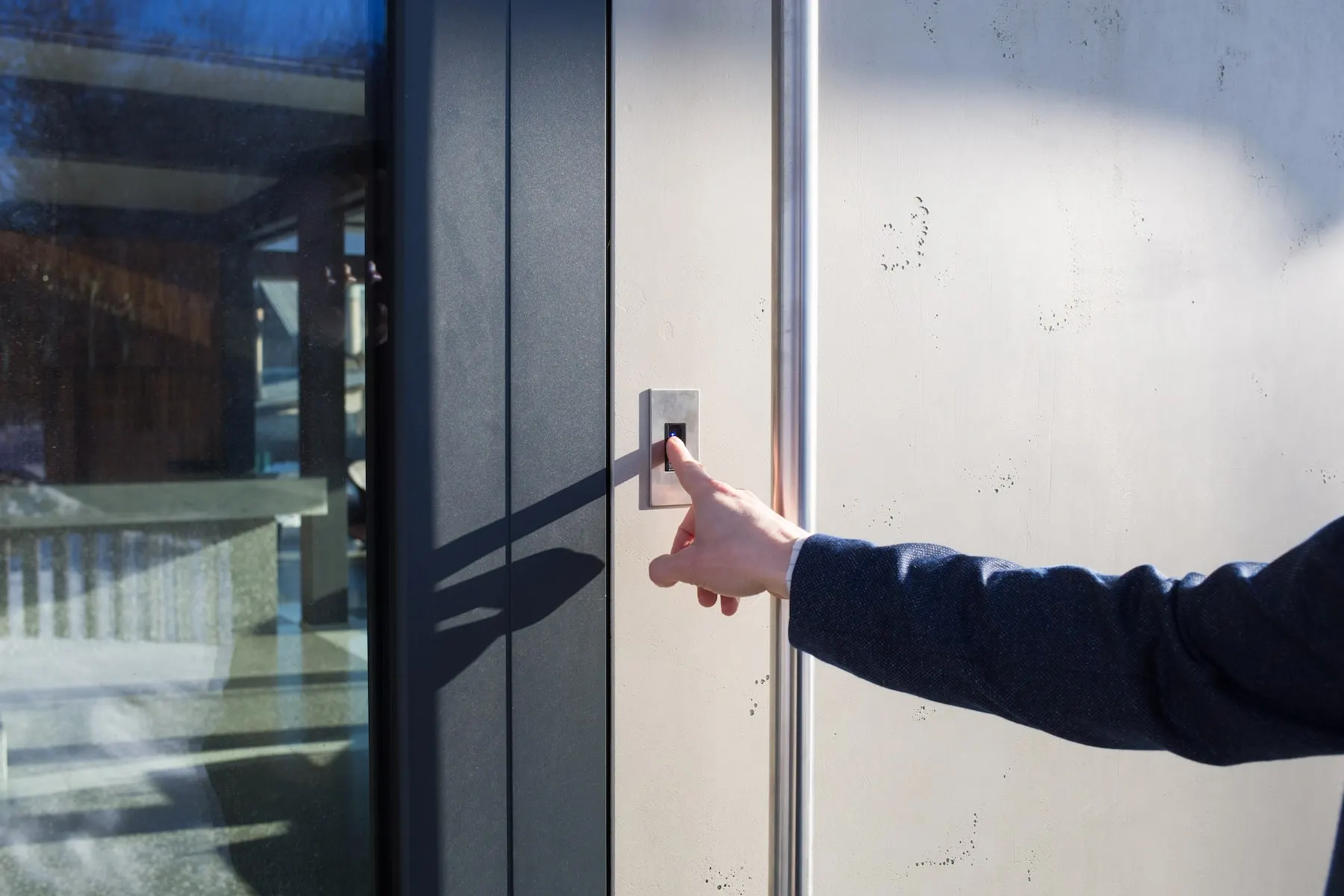
A worker walks up to the shared tablet at the entrance and looks at it. Under a second later the record is made and they walk on — nothing taken out of a pocket, nothing touched, nothing handed over. A new starter is enrolled from one photograph taken on the same tablet by a supervisor, which takes about as long as explaining where the canteen is. When somebody leaves, you remove them in the admin client; there is no badge to chase, deactivate or find in a locker three weeks later. The drawer of spare fobs stops existing, and so does the habit it enables.
What it does not do: it does not replace a physical pass where one is required for other reasons — a visitor badge, a contractor permit, or a card your door system needs for a lift lobby.
At €8 to replace a lost card, one reissue costs more than five months of NCheck Standard for that employee.
Standard is €1.50 per employee per month, and face check-in with liveness and GPS is in the free plan for up to 5 employees. RFID and barcode are included on Standard too, so you can keep cards where they still earn their place. Liveness detection, GPS, geofencing, offline mode and access control are in the plan price — not add-ons and not separate licences.
What cards, fobs and PINs cost a high-turnover site.
The sticker price of a blank card is the smallest part of it. Every reissue is a short admin task performed by someone whose time is not free: find the person in the system, print or encode a card, hand it over, record that you did. At forty per cent turnover on a hundred and fifty staff that is sixty of those tasks a year before anybody loses one.
Then there is the queue. One reader at one door is a serial device: fifty people arriving within ten minutes of each other means someone waits, and the people at the back are being paid to stand still. Sites usually solve this by relaxing the rule — one person swipes for the group, or the supervisor records arrivals on paper and enters them later — which quietly undoes the reason for having a reader.
And a card proves only that a card was present. On a site with high turnover and a lot of agency labour, that is a weak claim to be building payroll on, which is the argument the buddy punching page makes at length.
What it does not do: switching to face check-in does not fix a process where supervisors are recording arrivals on paper for other reasons. It removes the excuse, not the habit.
Do we need to buy special hardware?
No. A phone, tablet, webcam or existing IP camera works. The only purchase is a tablet for an entrance that has no device at all.
How quickly can a new hire start checking in?
Minutes. One photo on the same tablet enrols them, and the next time they walk up they are recognised.
What happens when someone leaves?
You remove them in the admin client and their template is deleted. There is no badge to recover.
Attendance without cards: the shared station.
A shared station is any device running the NCheck Admin app at a fixed point — a tablet on a bracket by the back-of-house door, a Windows machine with a webcam at reception, an IP camera over a turnstile. It holds the templates it needs locally, so a check-in does not wait on a network round trip, and it keeps working and recording if the connection drops.
Throughput is the question people actually care about, and the answer is that it is limited by how fast people walk rather than how fast the device matches. Verification is sub-second and nobody touches anything, so a line moves at walking pace. Where a shift change delivers two hundred people at once, the answer is more than one station on the same account rather than a faster one — which is cheap, because a station is a tablet.
Group check-in handles the case where a crew arrives together: several enrolled people are recognised from one photograph, so a van-load does not become a queue. That is covered in more detail on the shift-change page.
What it does not do: a shared station records who was at that station. If you need to prove somebody was at a particular site rather than at that door, that is GPS and geofencing on a personal device.
How many people can one station handle per hour?
Enough that the limit is walking speed rather than matching speed. For a large simultaneous arrival, add stations rather than expecting one to absorb it.
Does it suit a busy back-of-house entrance?
That is the typical installation — a tablet on a bracket, no contact, no card, nothing to drop in a kitchen or a loading bay.
What if the tablet is stolen?
Templates on the device are encrypted, and you revoke the device from the admin client so it can no longer act as a station. The replacement is a tablet.
Do we need a biometric attendance machine?
No. This is the question that stalls most attendance projects, and the honest answer is that the hardware you already own is enough. The Attend app is free with unlimited installs on Windows, Android and iOS, so a personal phone or an existing PC becomes a check-in point at no cost. For a shared entrance, the Admin app turns a tablet, a Windows machine with a webcam or an IP camera into a station for a one-time €95 licence per device. There is no proprietary terminal to specify, quote, wire or wait for, and nothing to replace in three years when the supplier changes range. If an entrance genuinely has no device at all, the purchase is a consumer tablet. See biometric attendance machines and supported devices for what works.
Keeping RFID where it still makes sense.
Removing cards everywhere is not always the right answer, and a product that insisted on it would be selling you a position rather than a tool. RFID, barcode and PIN are all supported on the Standard plan and can run alongside face check-in on the same site, even at the same door.
The cases where cards keep earning their place are fairly consistent: visitors and contractors who are on site for an afternoon and should not be enrolled; a lift lobby or car park already wired to an existing card system you are not about to replace; and individual employees who decline biometrics, who need an alternative as a matter of basic fairness and, in several jurisdictions, of law.
The useful framing is that the credential should match the relationship. Permanent staff who come through the same door every day are the case where a face is better than a card. A delivery driver who comes once is not.
What it does not do: a PIN or a card check-in is not verified in the way a face check-in is. Mixing them means accepting that some of your records are weaker — which is usually the right trade for visitors, and the wrong one for payroll.
Can we keep cards for visitors?
Yes, and it is usually the sensible choice. RFID, barcode, QR and PIN all work alongside face check-in.
What if an employee refuses biometrics?
Give them a PIN, QR code or card. You lose the verification for that person, which is a fair trade for consent.
Can one door accept both a face and a card?
Yes. The station takes whichever the person presents and records which method was used.
Three ways to identify someone at a door.
| Cards or fobs | A shared PIN | NCheck | |
|---|---|---|---|
| Can it be lent | ✓ easily | ✓ trivially | ✕ |
| Cost when someone leaves | Reissue and recover | Change it for everyone | Remove them in the admin client |
| New starter ready in | As long as printing takes | Immediately, and insecurely | Minutes, from one photo |
| Hands needed | One | One | None |
| Hardware | Readers per door | A keypad | A tablet, webcam or phone you own |
| Throughput at shift change | One at a time | One at a time | Walking pace; add stations in parallel |
| What the record proves | A card was present | Somebody knew the number | A specific living person was there |
Who this is for — and who it is not.
Best for
- Retail, hospitality and warehouse operations with high turnover and seasonal peaks
- Site and facilities managers tired of reissuing badges and policing a spare drawer
- Operations with agency or daily labour who are never in the badge system anyway
Not for
- Buyers who want a vendor to supply and install devices as part of the deal
| If this is your situation | The setup is |
|---|---|
| One back-of-house entrance | One tablet on a bracket, Admin app licence |
| Several stores or branches | One station per site, all on one account |
| Heavy seasonal hiring | Enrol from a photo at induction; remove in one click afterwards |
| An existing card system on the lift lobby | Keep RFID there, face check-in at the staff entrance |
| Staff who decline biometrics | PIN or QR for those individuals, face for everyone else |
"Face recognition works well with a normal camera too. Convenient, cost-effective and highly accurate — face, fingerprint and iris."
What to check before you commit.
- Does it run on hardware you already own, or does it require a reader per door?
- How long does enrolling a new starter actually take, measured rather than quoted?
- What happens to a leaver’s biometric template, and can you prove it was deleted?
- Can cards, PINs or QR codes run alongside, for visitors and for anyone who declines?
- Does a station keep working when the network is down?
- What is the cost of adding a second station when the queue gets long?
- Is the biometric stored as an encrypted template rather than a photograph?
- Can an employee see their own record?
Before you ask us.
What does it cost to add another entrance?
A device you may already have, plus a €95 one-time Admin licence for that device. There is no per-door subscription.
Can a supervisor enrol people, or does it need IT?
A supervisor, from the same tablet. It is a photograph and a name.
Do we lose the records if we switch away later?
No. Timesheets and events export to Excel, CSV or through the REST API at any time.
How is this different from a fingerprint terminal?
No contact, no queue at a single reader, and no hardware tied to one supplier. Fingerprint is still available on Standard if you want it — see fingerprint attendance.
Does it work with gloves, or in a kitchen?
Yes — nothing is touched, which is exactly why it suits kitchens, loading bays and cold stores.
Can we still use our existing turnstile?
Usually. The station can drive a barrier through a relay — see door control without new wiring.
Is storing employees’ faces legal?
It depends where you operate and usually turns on consent, purpose, retention and offering an alternative. See biometric attendance and the law — general guidance, not legal advice.
Keep reading.
Biometric attendance machines
What hardware you do and do not need.
Face recognition attendance
How the check-in itself works.
Shared devices
One station, a whole shift, group check-in.
RFID and barcode
Keeping cards where they still make sense.
Retail
Multi-store rotas and seasonal hiring.
Hospitality
Back-of-house entrances and split shifts.
Stop buying badges for people who will not be here in June.
Free for up to 5 employees. 30-day free trial on every paid plan, no card needed — in either sense.
Last reviewed: October 2026. Templates, not photos; deleted on request; on-premises keeps everything inside your network. Details on the security and compliance page.